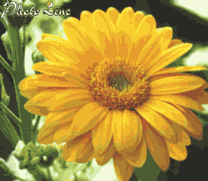
| PhotoLine Tip: Create a gray area in an image |
1. You want
to create a gray area in an image for a effect or to emphasize a part of
the image. First of all load the image.
2. Now select
the brush tool from the tool bar.
3. Setup the
tool options to the brush tool to HSV-mode. Activate only the "S" button
to change only the saturation.
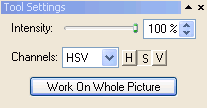
4. Now draw
with a black foreground color and you will get a grey area where you are
drawing.
|
| ««Previous Tip <Content> Next Tip»» |
| Please email questions and suggestions on these tips to Gerhard Huber. |